


AI Marvels - AI Photo & Video
3.3391.00 Reviews
App Specs
- Version
- 2.17.0
- Updated On
- License
- Free
- Downloads
- 5,000,000+
- Developer
- HitPaw
- Categories
- Photography
- Platform
- Android, iOS
Screenshots

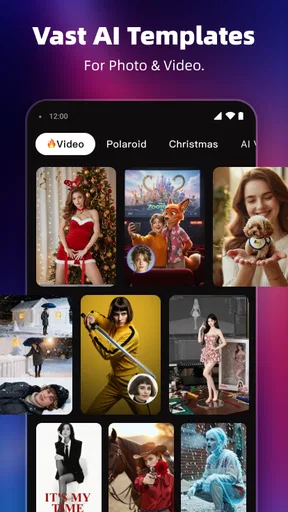
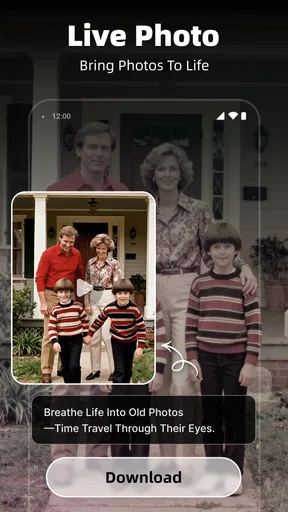
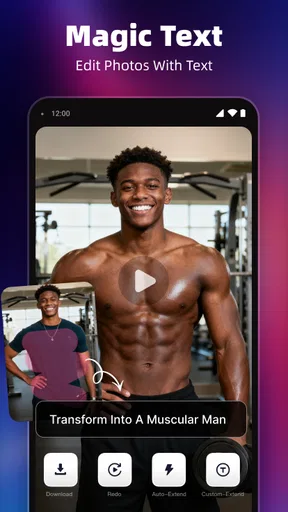
 Analysis by AppCompare
I see AI Marvels - AI Photo & Video as a playful shortcut for people who want eye-catching edits without learning a full desktop editor. Its appeal is variety: photo effects and video tools sit together, so you can try a new look or turn a casual clip into something more shareable. That convenience is the main reason I’d recommend it, though anyone expecting precise, professional control should keep a more traditional editor in mind.
First Impressions
When I first opened AI Marvels - AI Photo & Video, I was greeted with a sleek and intuitive interface. You know how some apps just feel right from the get-go? This one definitely had that vibe. It’s super user-friendly, and you don’t have to be a tech wizard to figure things out. The layout is straightforward, which is perfect if you want to dive right in.
What the mix of tools is good for
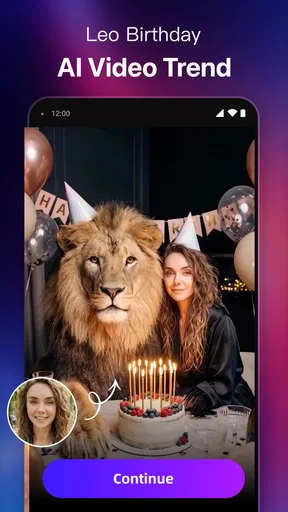
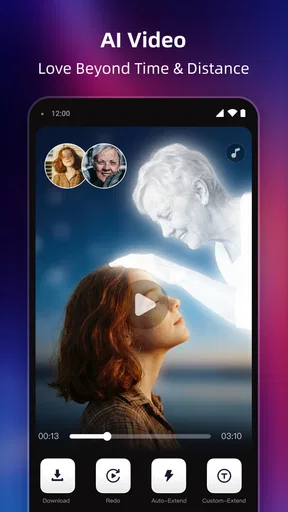
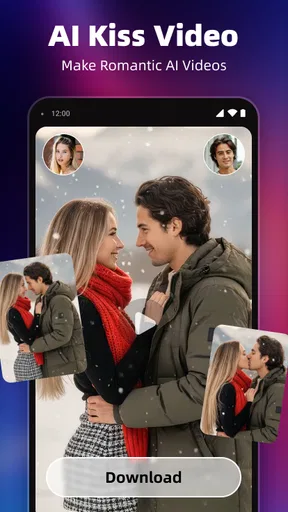
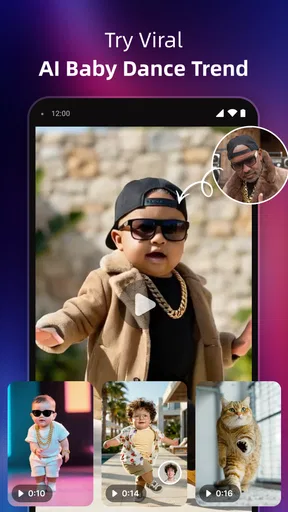
As a photography app from HitPaw, AI Marvels is less about replacing a careful editing workflow and more about making visual experimentation easy to start. The range suggested by its creative focus—stylized portraits, cartoon and anime looks, animated photos, and short-form video ideas—suits someone who likes trying a few distinct treatments on the same image. I’d reach for it when I want an expressive result quickly, rather than when I need to make exact color corrections across a whole shoot.
That distinction matters when choosing between this and the usual alternatives. A phone’s built-in editor is generally the simpler choice for cropping, exposure, and small corrections; a dedicated photo editor is a better fit for detailed retouching and consistent results across many images. AI Marvels occupies the more playful middle ground: it is aimed at transformation and quick creative output, not a comprehensive replacement for either option.
Features That Stand Out
Alright, let’s talk features. This app is packed with AI-driven tools that make editing a breeze. Whether you’re tweaking a selfie or crafting a mini cinematic masterpiece, the app’s got you covered. Here are a few features that really caught my eye:
- AI-Powered Filters: The filters are not just your usual Instagram presets. They adapt to the specific details of your photo, enhancing colors and contrasts in a way that feels just right.
- Smart Video Editing: The AI automagically suggests cuts and transitions for your video clips. It’s like having a mini director in your pocket.
- Background Removal: Say goodbye to messy backgrounds with a single tap. The AI accurately detects and removes backgrounds, making your subject pop.
For a practical workflow, I’d start with a clean, well-lit image and make one major stylistic change at a time. That makes it easier to tell whether the effect is improving the picture or simply making it busier. If you are preparing a profile image, for example, keep the original nearby and compare the face and background before saving or sharing the result. AI effects can be striking, but a strong look is not automatically the most useful one.
Where it fits into an ordinary day
Imagine taking a quick portrait before meeting friends and wanting something more distinctive than the camera’s standard filter. I’d use an effect to explore a cartoon or anime-inspired treatment, then try a separate version with a more natural finish. For a short clip from the same outing, the video tools offer a way to give it a more deliberate feel without opening a complex editing program. This is the kind of casual, single-session use where the app’s blend of image and video creativity makes sense.
Worth Reading Before You Choose

Flipboard Shows What News Apps Must Do Beyond the Feed

Switching to Android Auto Means Rethinking Your Driving Routine

Google Calendar Makes a Crowded Week Easier to Manage

Ludo King Makes the Most of the Minutes Between Plans

Baby Panda World Brings Quick Play to Modern Phones, but Its Game Library Feels Busy

ESPN’s Live Game View Makes Following Close Games Easier
It can also be useful for making a small batch of social posts feel varied. Rather than applying the same look to every picture, choose one visual treatment for a portrait and a different approach for a playful clip. The trade-off is consistency: if you need a carefully matched visual identity across a large collection, manual editing tools usually offer more repeatable control. For an occasional post, though, experimenting one piece at a time can be more fun than building a preset workflow.
Getting Creative
One of the things I loved about this app is how it encourages creativity. The AI doesn’t just do the work for you; it gives you the tools to express your own style. The customization options are pretty expansive, allowing you to adjust everything from saturation to the tiniest details in your video edits.
And let’s not forget the cool text overlay options. Adding titles and captions to your videos feels effortless, and the variety of fonts and styles means you can match the mood of your content perfectly.
A useful habit is to treat the first generated version as a starting point rather than a finished piece. I’d compare it with the unedited original, then decide whether the effect needs a lighter touch or whether the image works better without extra decoration. Text is best added after the visual treatment: that way, the lettering can support the final composition instead of competing with an effect that may change the balance of the image.
Who should try it—and who may want another tool
I think the best fit is someone who edits on a phone, enjoys trying visual styles, and values speed over fine-grained control. It should also suit beginners who would rather experiment with a ready-made creative treatment than learn a complicated editing interface. The app is free to install, rated for Everyone, and has an average rating of 4.1 from around 23,000 ratings, so it has attracted a substantial audience without being a guaranteed match for every editing style.
I would steer away from it if your main job is precise retouching, careful color matching, or polishing long videos with a detailed timeline. Those tasks call for tools built around manual adjustments and repeatable project controls. AI Marvels is more compelling when the goal is a quick transformation or a playful result; the same automation that saves effort can also leave less room for exact decisions.
It is also worth deciding how often you will use the more ambitious tools before spending money. The app is free, but optional in-app purchases range from $1.99 to $89.99 per item. I’d explore the no-cost experience first and only consider a purchase after a particular tool has become part of a regular workflow. That keeps a one-off curiosity from turning into an unnecessary expense.
Performance and Usability
In terms of performance, the app runs smoothly on both Android and iOS. I didn’t encounter any lags or crashes, which is always a plus in my book. It’s also worth mentioning that the app doesn’t hog too much space on your device, which is great if you’re like me and constantly battling storage issues.
One small hiccup, though, is that some of the more advanced features are locked behind a paywall. But hey, the basic version is still pretty robust, and you can always upgrade if you find yourself wanting more.
For Android users, the listed minimum operating-system requirement is version 8.0, and the current version is 1.91.1. It has been available since November 22, 2022, and has passed 5 million installs. Those details make it easier to judge whether it is a practical option for an older compatible device, but I would still leave room on the phone for the photos and videos I plan to work with.
One small decision can save time: choose the source image before opening an effect and keep a clean original available. If a result is too artificial or an effect handles a subject differently than expected, you can switch direction without having to reconstruct the starting point. For video, short clips are a sensible place to test a style before applying the same idea to a longer edit. This is not a claim that every effect will suit every subject; it is simply a way to make experimentation less frustrating.
Final Thoughts
Overall, AI Marvels - AI Photo & Video is a fantastic tool for anyone looking to enhance their photos and videos with minimal effort. It’s got a ton of features packed into a user-friendly package, making it accessible for beginners while offering enough depth for seasoned editors. Whether you’re sharing your creations on social media or just saving memories, this app is definitely worth checking out.
My recommendation comes with a clear condition: try it for expressive, low-effort edits, but do not expect it to replace a dedicated editor when accuracy and consistency matter most. If you like exploring different looks and making occasional videos feel more lively, the combination is appealing. If you mainly want dependable corrections or detailed control, your phone’s basic tools or a focused editing app will likely serve you better.
So, what are you waiting for? Give it a try and let your inner artist shine!
Pros
- Easy to use interface for beginners.
- Wide variety of AI filters available.
- Fast processing of photos and videos.
- Regular updates with new features.
- No intrusive ads in free version.
Cons
- Limited features in free version.
- Occasional crashes on older devices.
- Requires internet for AI processing.
- High battery consumption during use.
- Large app size can take up storage.
FAQs for AI Marvels - AI Photo & Video
What are the main features of AI Marvels - AI Photo & Video?
AI Marvels - AI Photo & Video offers a wide array of features designed to enhance your multimedia creations. Key features include AI-driven photo editing tools, video enhancement capabilities, and a variety of filters and effects. The app also allows seamless integration with social media platforms for easy sharing.
Is AI Marvels - AI Photo & Video user-friendly for beginners?
Yes, AI Marvels is designed with user-friendliness in mind, offering an intuitive interface that is easy to navigate. Beginners will find the app’s step-by-step tutorials and helpful tips particularly useful, enabling them to quickly grasp the functionalities and create stunning visuals with minimal effort.
Does AI Marvels - AI Photo & Video require an internet connection to function?
While the app is primarily designed to work offline, certain features like cloud storage, updates, and social media sharing require an internet connection. However, most core editing tools are fully functional offline, allowing users to work on their projects anytime, anywhere.
Are there in-app purchases or subscription fees in AI Marvels?
AI Marvels offers a free version with basic features, but to access advanced tools and exclusive content, users can opt for in-app purchases or a subscription model. The subscription provides a more comprehensive experience with regular updates and additional features, enhancing the app’s value.
What devices are compatible with AI Marvels - AI Photo & Video?
AI Marvels is compatible with both Android and iOS devices. It supports a wide range of smartphones and tablets, but it's recommended to check the specific device requirements on the app store to ensure compatibility. Regular updates help maintain compatibility with the latest OS versions.


